
Business overview at a glance
Your whole storefront, on one screen.
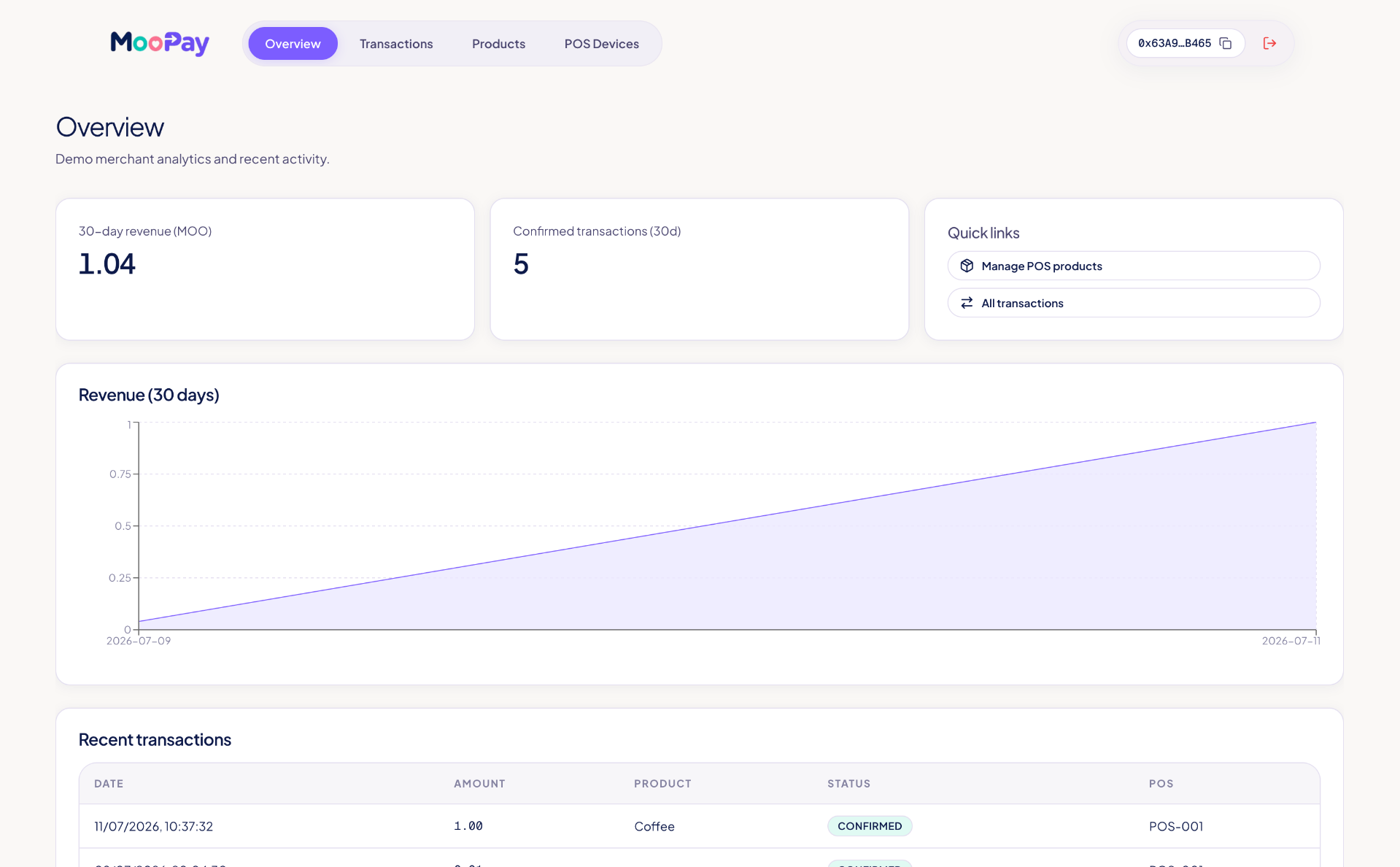
See 30-day revenue, transaction counts, and a revenue chart in one place. Review recent POS payments — amount, product, status, and terminal — without digging through spreadsheets.
Track revenue, inspect every POS payment, curate the keypad menu, and register terminals — no spreadsheets, no reconciliations, no crypto vocabulary in your face.
Business overview at a glance
See 30-day revenue, transaction counts, and a revenue chart in one place. Review recent POS payments — amount, product, status, and terminal — without digging through spreadsheets.
Full transaction history
Browse every payment from your POS terminals. Filter and inspect status (confirmed, held, declined), which device processed each sale, and what product was attached.
POS product catalog
Add products, set reference prices, and assign keys 1–9 so each terminal syncs the right catalog on boot. Update once — every POS picks it up.
Register POS devices
Link each terminal to your account with a pos_id and payout wallet address. Control which devices are active and where on-chain settlements land.
A live demo merchant account, pre-loaded with transactions, products and a POS device. Click around — no signup required.